You can add a new product or SKU in Mintsoft through the Products section.
How to add a new product
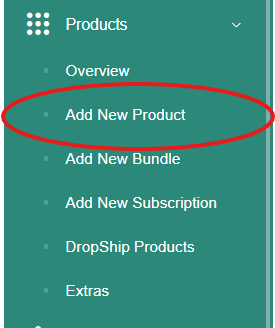
Go to Products
Click New Product
You will be taken to the product setup page
What to enter
When creating a new product, you will need to enter:
SKU (unique product code)
Product name
Description (if required)
Dimensions and weight
Any other relevant product details
Make sure the SKU is unique and matches your sales channels.
Saving the product
Once all details have been entered:
Click Save
The product will then be added to your product list.
What happens next
After creating the product:
It can be used for orders
Stock can be booked in against it
It will appear in your inventory
Important
If a product is not set up correctly, it may cause issues with orders or stock tracking.
Make sure all details are accurate before saving.
Was this article helpful?
That’s Great!
Thank you for your feedback
Sorry! We couldn't be helpful
Thank you for your feedback
Feedback sent
We appreciate your effort and will try to fix the article