You can create a manual order in Mintsoft if an order has not come through from a sales channel.
When to use manual orders
Manual orders are typically used when:
An order is taken offline (e.g. phone or email)
An order has not synced into Mintsoft
You need to resend or recreate an order
How to create a manual order
Go to Orders → Overview
Click New Order (top of the page)
You will then be taken to the order creation screen.

How to place a manual order
Go to Orders
Click New Order
You will be taken to the order creation screen
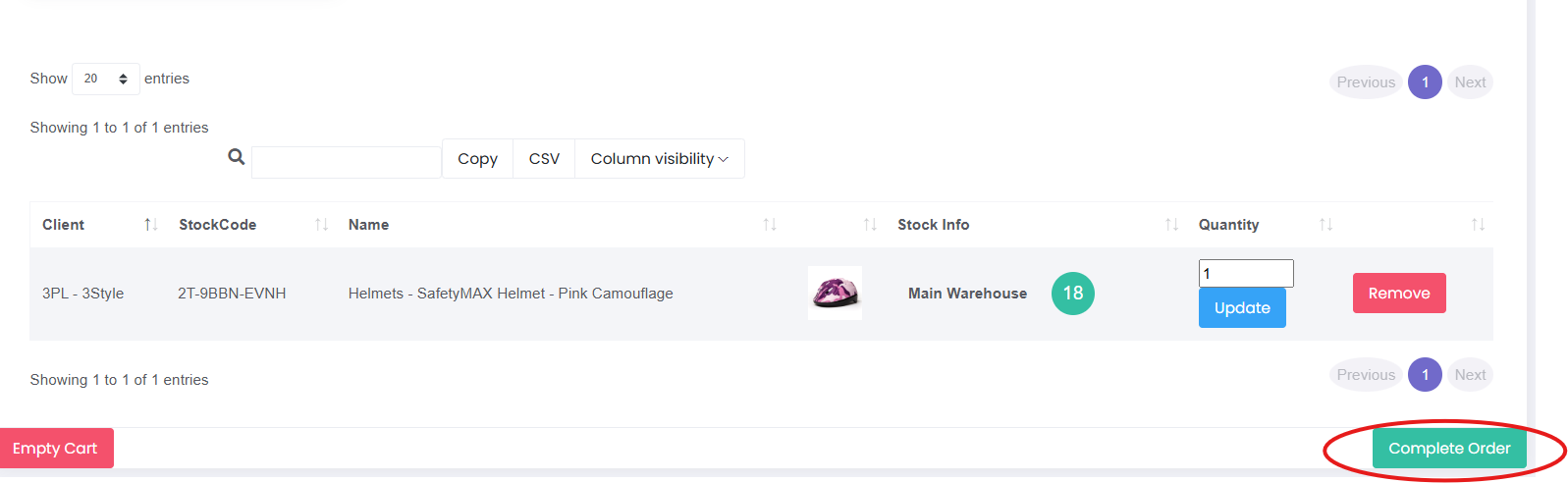
Add items to the cart by searching for the SKU or item name
Enter the quantity needed
Click Update if required
Once all items have been added, click Complete Order

What happens next
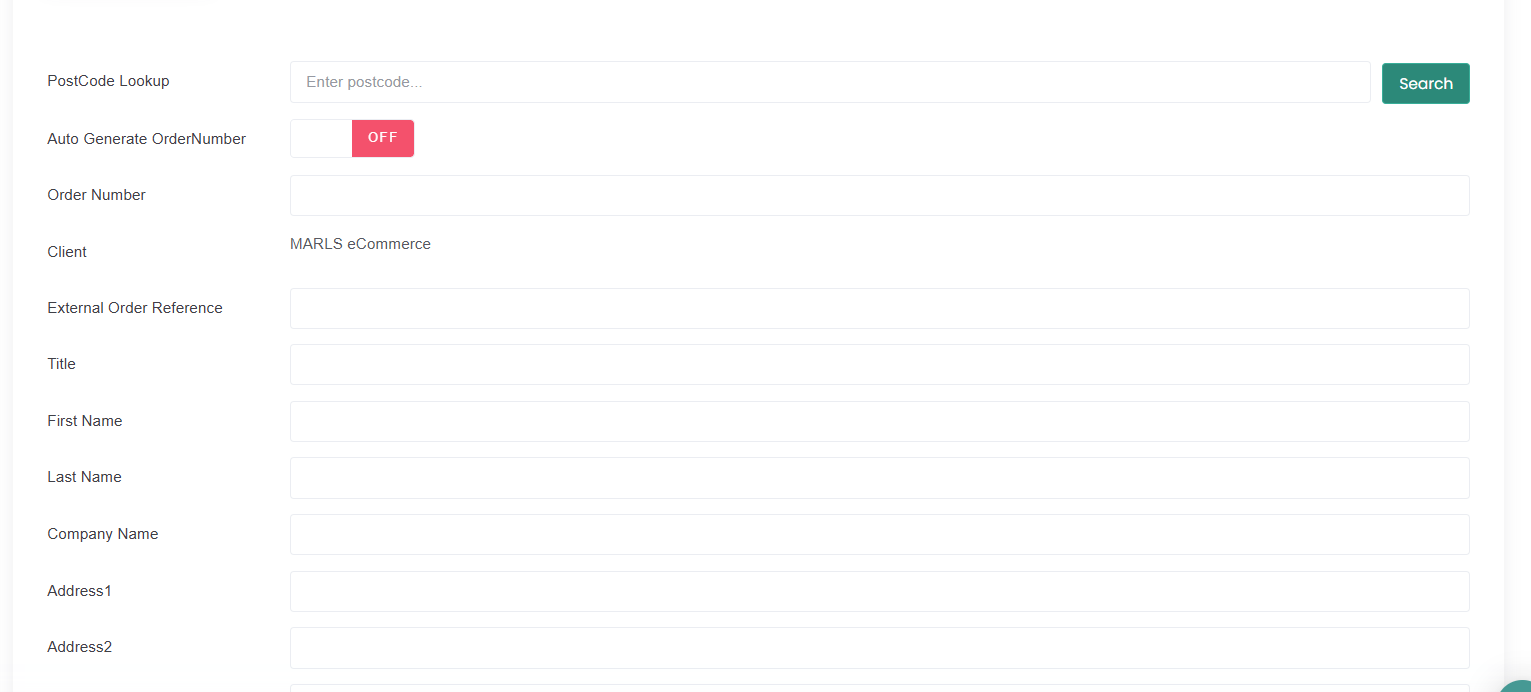
After clicking Complete Order, you will be taken to the next screen where you can enter the order details, including:
Customer name
Delivery address
Email address
Any other relevant order information
Make sure all details are correct before saving the order.
Important
If product details or stock levels are incorrect, the order may not process as expected.
If you are unsure, contact support before creating the order.
Was this article helpful?
That’s Great!
Thank you for your feedback
Sorry! We couldn't be helpful
Thank you for your feedback
Feedback sent
We appreciate your effort and will try to fix the article