You can quickly find specific orders in Mintsoft by using the search bar and filters.
Searching for an order
To search for a specific order:
Go to Orders → Overview
Use the search bar at the top of the page
Enter details such as:
Order number
Customer name
SKU
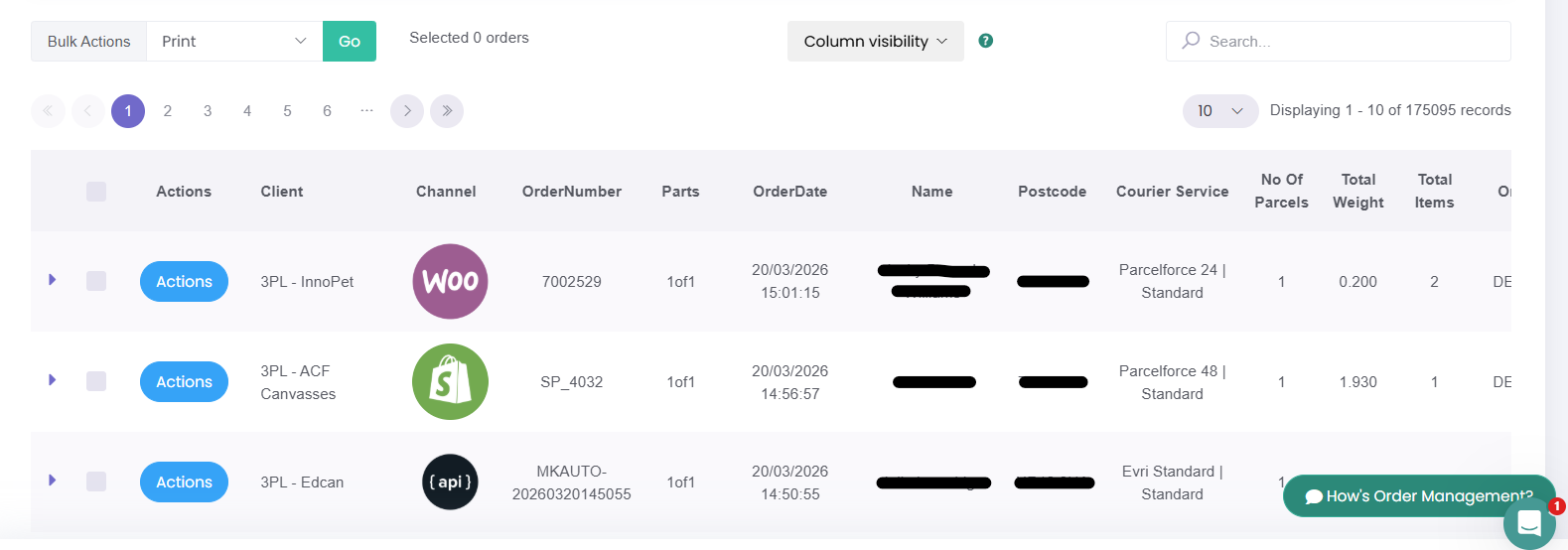
This will return matching orders.
How to filter orders
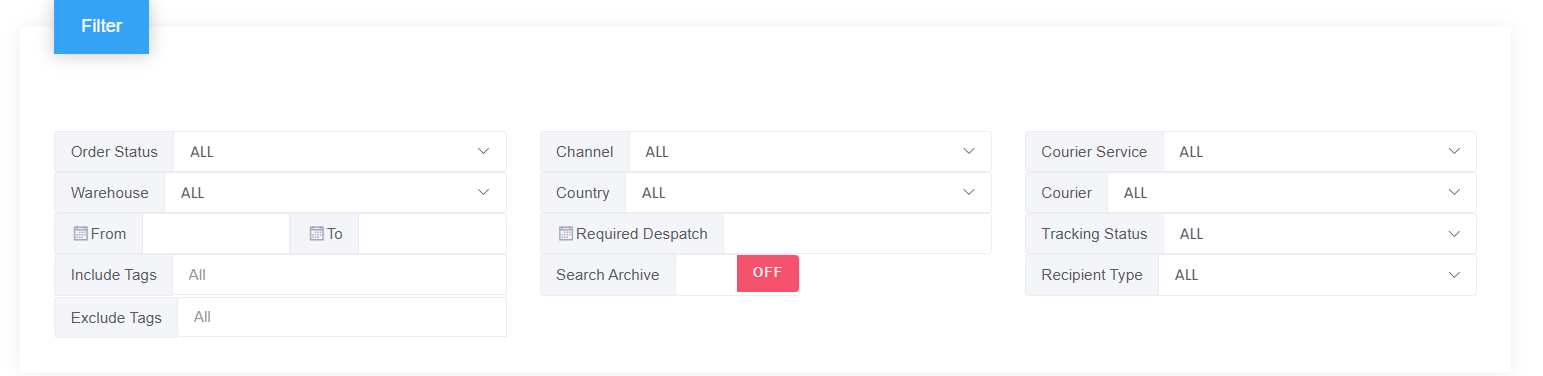
At the top of the Orders Overview page, you can filter your orders using fields such as:
Order Status
Warehouse
Date range
Channel
Country
Required Despatch
Courier Service
Courier
Tracking Status
Recipient Type
Include Tags
Exclude Tags
Common ways to use filters
You can use filters to:
View orders in a specific status
Check orders for a particular warehouse
Find orders from a certain sales channel
Review orders within a specific date range
Look at orders by courier or tracking status
If you cannot find an order
If you cannot see the order you are looking for:
Check that no filters are limiting the results
Make sure the correct date range is selected
Confirm the order has synced into Mintsoft
Was this article helpful?
That’s Great!
Thank you for your feedback
Sorry! We couldn't be helpful
Thank you for your feedback
Feedback sent
We appreciate your effort and will try to fix the article