Order statuses show where each order is in the fulfilment process.
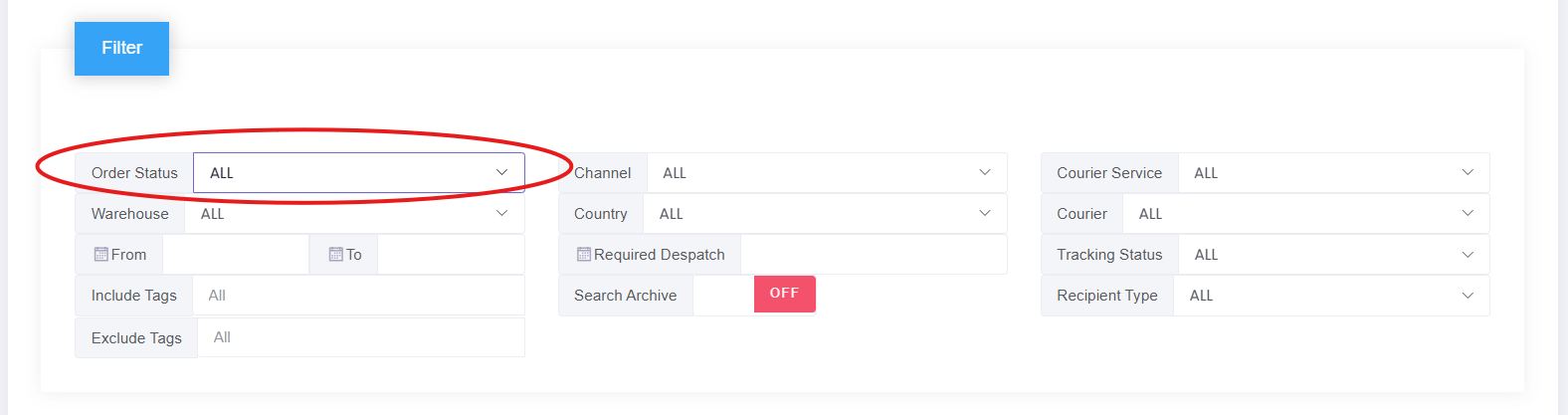
You can view order statuses by going to:
Orders → Overview
At the top of the filter box, you'll see 'Order Status'.
Key order statuses
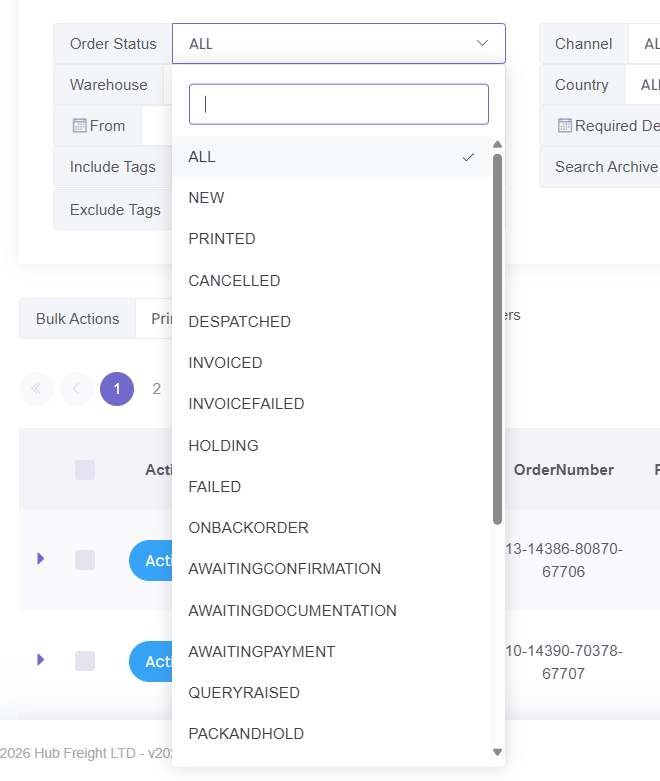
Below are the main statuses you are most likely to see:
Awaiting picking
The order has been received and is waiting to be picked in the warehouse.
Picking started
The warehouse team has started picking the items for the order.
Picked
All items for the order have been picked and are ready to be packed.
Packed
The order has been packed and is ready for despatch.
Despatched
A shipping label has been generated and the order is ready to leave the warehouse.
On backorder
The order cannot be fulfilled yet because stock is not available.
Cancelled
The order has been cancelled and will not be processed.
Why order statuses matter
Order statuses help you:
Track the progress of your orders
Identify delays or issues
Understand what stage an order is at
Common questions
Why is my order not moving?
This can happen if:
The order is waiting in the queue
Stock is not available
There is a delay in processing
Why does my order show as despatched but hasn’t arrived?
Despatched means a label has been generated. The courier may not have collected or scanned the parcel yet.
Was this article helpful?
That’s Great!
Thank you for your feedback
Sorry! We couldn't be helpful
Thank you for your feedback
Feedback sent
We appreciate your effort and will try to fix the article